
The Modern Field Services
Management Solution.
Streamline Operations
Empower Technicians
Delight Customers
Streamline Operations
Empower Technicians
Delight Customers

Built for Real
Field Teams
Built for Real Field Teams
Service Hub brings scheduling, dispatch, job tracking, and payments into one platform — so teams work efficiently and get paid as soon as the job is done.
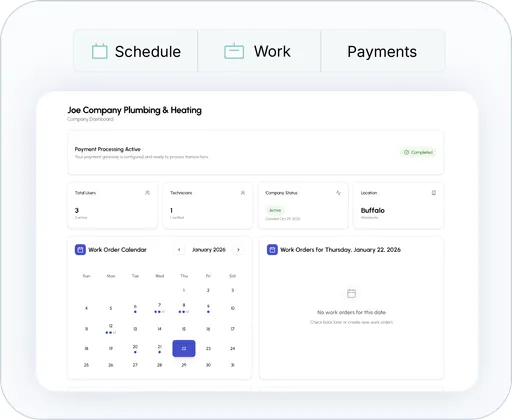
All-in-One Platform
Scheduling, inventory and payment acceptance in one interface
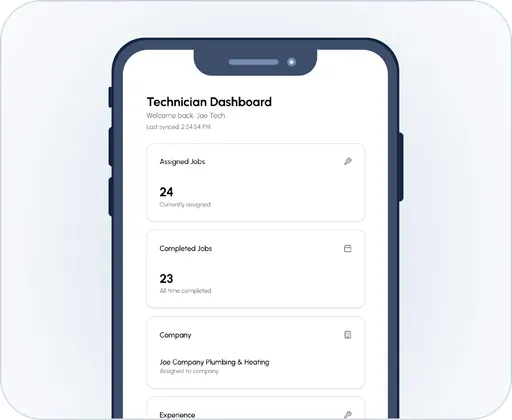
Mobile-First Design
Offline-ready apps for technicians with intuitive workflows
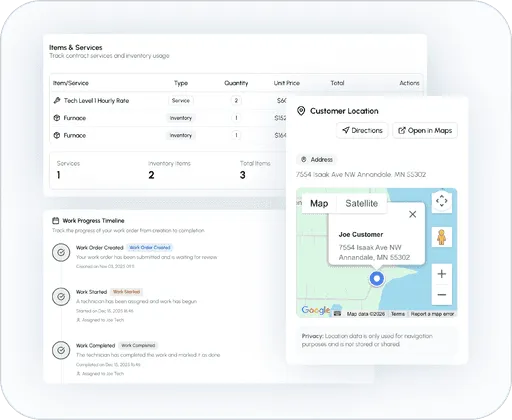
Smart Scheduling and Dispatch
Technician assignments to reduce travel time and boost productivity.
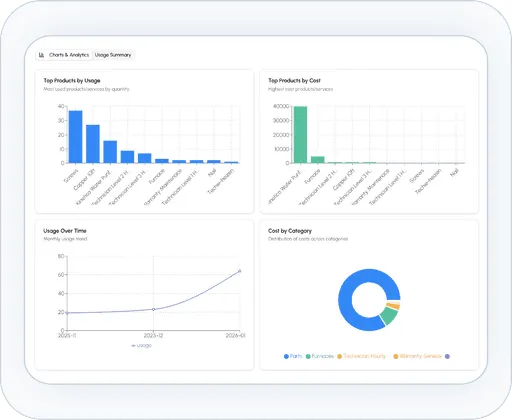
Real-Time Visibility
Track jobs, costs, and inventory from a single dashboard
Scalable and Flexible
Customizable workflows for HVAC, plumbing, electrical and more.
Why We Built Service Hub
Benefits
Give technicians clear job details, schedules, and updates so they can focus on getting work done, not tracking down information.

Increase technician productivity by up to 30%

Reduce operational costs through automation

Improve customer satisfaction with faster response times and transparent communication
Why do I have to book a demo?
Because you WILL have questions and we can answer them immediately
Takes only 15 minutes and includes:
Introduction
What Service Hub is, who it is designed for, and the problem it solves.
Office Operations
Dashboard → work orders → invoices → payments → inventory → services → customers → users → creating and scheduling a job.
Office Operations
Dashboard → work orders → invoices → payments → inventory → services → customers → users → creating and scheduling a job.
Close & Business Outcome
The key value proposition becomes very clear here, complete the work, collect payment immediately, synchronize the information, and give the office visibility into the completed and paid job.
Invoices & Payment TrackingClose & Business Outcome
Demonstrates invoice management, including searching customers, viewing invoice details, tracking pending or paid invoices, failed payments and processing refunds
Don't worry, we can help!
Everything You Need to Run Field Operations in One Place.
Service Hub centralizes work orders, scheduling, and dispatch into a single platform built to simplify daily operations and keep field teams moving efficiently.
Create Work Orders
Quickly generate work orders with all the details your team needs to get started. Capture job information, assign responsibilities, and standardize requests so work begins smoothly and accurately.
Key Features
• Create work orders in just a few clicks
• Capture job details, locations, and requirements
• Standardize requests for faster execution
Schedule Work Orders
View, update, and track every work order from a single dashboard. Edit details, monitor progress, and maintain clear records so nothing falls through the cracks as jobs move from creation to completion.
Key Features
• Set dates, time windows, and job priorities
• Adjust schedules in real time as needs change
• Keep teams aligned with clear timelines
Manage Work Orders
View, update, and track every work order from a single dashboard. Edit details, monitor progress, and maintain clear records so nothing falls through the cracks as jobs move from creation to completion.
Key Features
• View and update job details from one dashboard
• Track progress from start to completion
• Maintain accurate records and job history
Dispatch Jobs
Quickly dispatch jobs to the right people at the right time. Assign technicians, share job details instantly, and ensure field teams have everything they need before they arrive on site.
Key Features
• Assign jobs to the right technicians instantly
• Share job details and instructions in one place
• Reduce delays with faster job handoff
Work Order Management
Centralize your entire work order workflow in one streamlined system. From creation to close-out, manage statuses, notes, attachments, and updates with clarity and control.
Key Features
• Centralize work orders in a single system
• Manage statuses, notes, and attachments
• Keep workflows organized and consistent
Route Optimization
Automatically optimize routes to reduce travel time and improve efficiency. Plan smarter job sequences that save fuel, minimize delays, and help teams complete more work each day.
Key Features
• Automatically plan the most efficient routes
• Reduce travel time and fuel costs
• Complete more jobs with smarter sequencing
Master Your Operations with One Unified Ecosystem
Stop wasting time switching between disjointed tools. Service Hub integrates every facet of your business into a high-performance environment, allowing you to automate the mundane and focus on what truly drives growth.
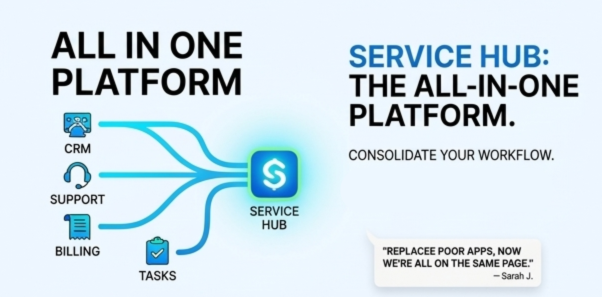
Service Hub: The All-In-One Platform
Stop juggling dozens of subscriptions. Consolidate your workflow, data, and team into a single, powerhouse ecosystem designed to scale.
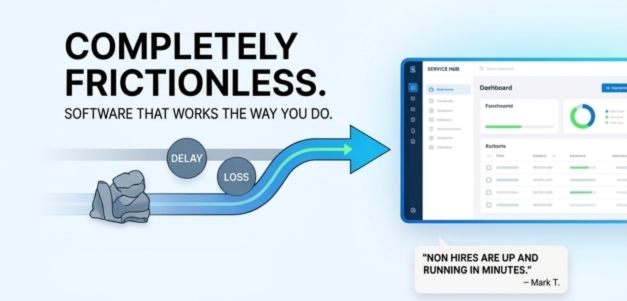
Completely Frictionless
Software shouldn't be a hurdle. Experience an intuitive interface that works the way you do, with zero-lag transitions and automated hand-offs.
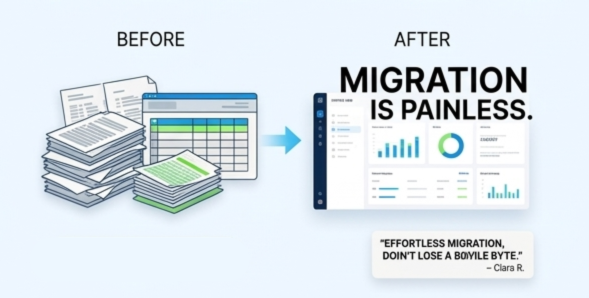
Migration is Painless
Say goodbye to "setup fatigue." With 1-click integrations and a dedicated support team, we handle the heavy lifting so you can stay focused on your business.

Fair and Transparent
No hidden fees. No "gotcha" renewals. Just simple, honest pricing that grows with you, not against you.
Trusted by Growing Teams
"We replaced four different tools with Service Hub. Everything is finally in one place."
— Sarah J., Operations Director"The UI is so intuitive our team was up and running in minutes. It just flows."
— Mark T., Startup Founder"Migration was effortless. We didn’t lose a single piece of data."
— Elena R., IT ManagerAffordable Plans For Everyone.

Fair & Transparent Pricing
Clear, predictable pricing built for service businesses—no hidden fees, no surprises. Get full visibility into your costs while streamlining operations, improving cash flow, and scaling with confidence.
Got Questions?
We’ve got answers — here’s everything you need to know before getting started.
How does Service Hub handle work orders from start to finish?
Service Hub lets you create a work order in seconds, assign it to the right technician, and track it all the way through completion, in one place.
Can my technicians see everything they need in the field?
Yes. Service Hub gives technicians a clear, mobile-friendly view of their assigned jobs, including where they're going, what needs to be done, and any important notes.
How does scheduling and dispatch work day-to-day?
Service Hub gives you a simple, visual way to schedule and dispatch jobs so you can see your day at a glance.
Will Service Hub fit how my business already runs?
Service Hub is built to support real service businesses, not force them into a rigid system.
How quickly can we get up and running with Service Hub?
Service Hub is designed to be straightforward and easy to adopt, so teams can start using it without long setup times or complicated training.
What People Are Saying...
• Contact us
Have Questions? Get in touch with our experts team
Want to stay up to date with features, updates and more? Subscribe to our Email!
Just send us your contact email and we will add you!